How to Edit Graphics
Click on the drawing list icon  to open the list of drawn graphics.
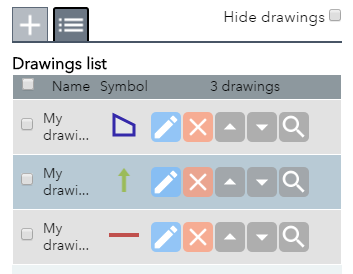
The drawing list options allow you to edit, delete, zoom to and move graphics above or below other graphics in the map  .
.
The edit tool  allows you to change the drawing settings and the geometry of a drawing.
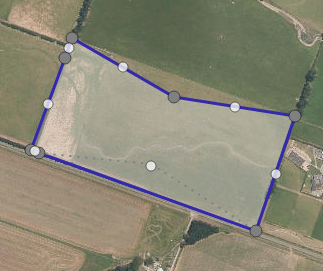
Click and drag vertices to change the geometry of a shape. Alternatively click on the centre of a graphic and drag to move the entire shape.